File health check
Detect format, readability, version, encoding, damage, and ACCDB capability before opening.

A faster look at your MDB & ACCDB files.
Access databases are still quietly running parts of real businesses. They sit in shared folders, arrive by email, and turn up when a customer or colleague needs an answer away from the Windows PC that can open them.
Access Viewer picks up where the desktop workflow stops. Choose an
.mdb or .accdb file on your iPhone, run a health check, and
start browsing tables without exporting the database or feeding it to a conversion site.
The native-first path is built to stay
responsive on large files.
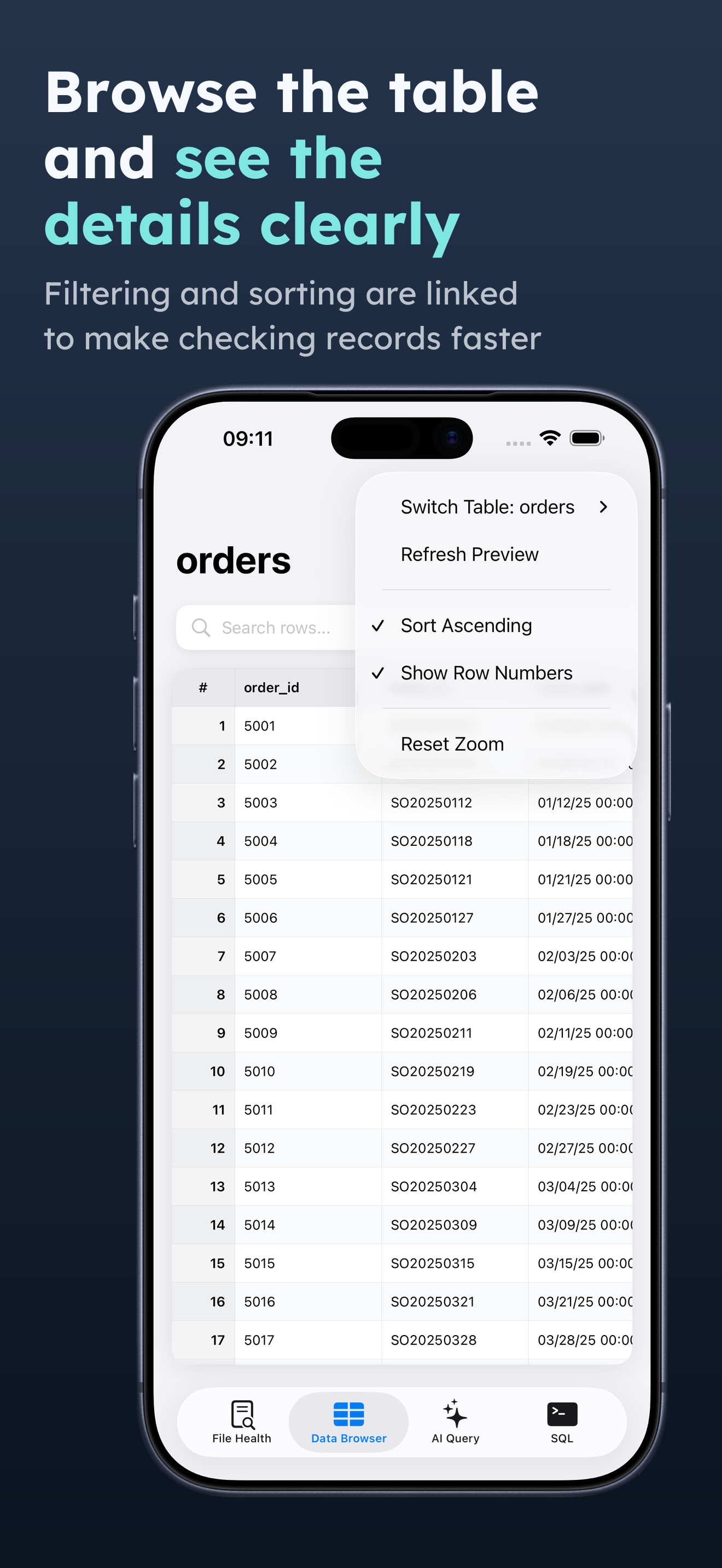
Open a table and move through rows with search, filtering, sorting, pagination, and row details. Text and image fields stay together, so the record in front of you still makes sense. See the real interface in the data browser.
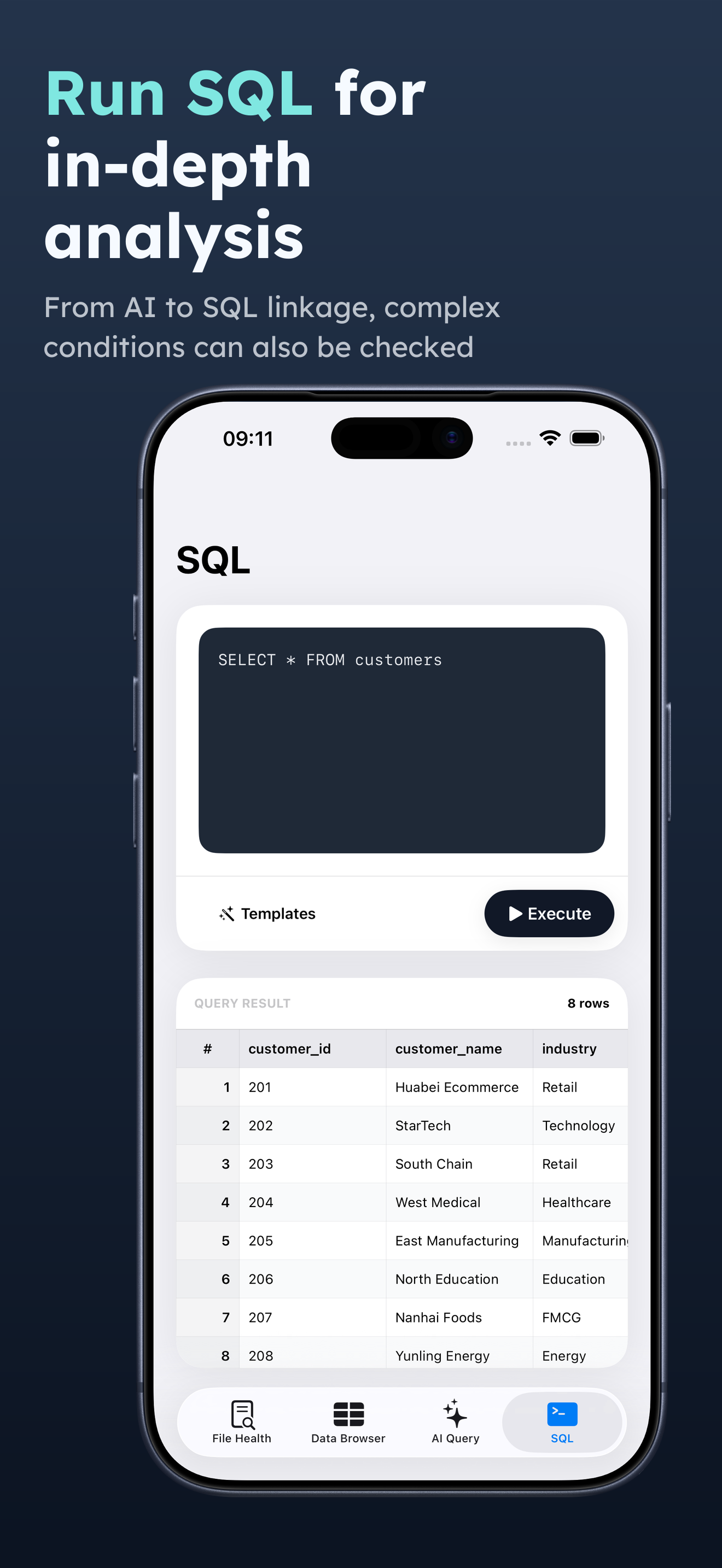
When browsing is not enough, write a SELECT query and execute it locally.
Syntax, table, field, and type failures come back with a reason and a next step instead
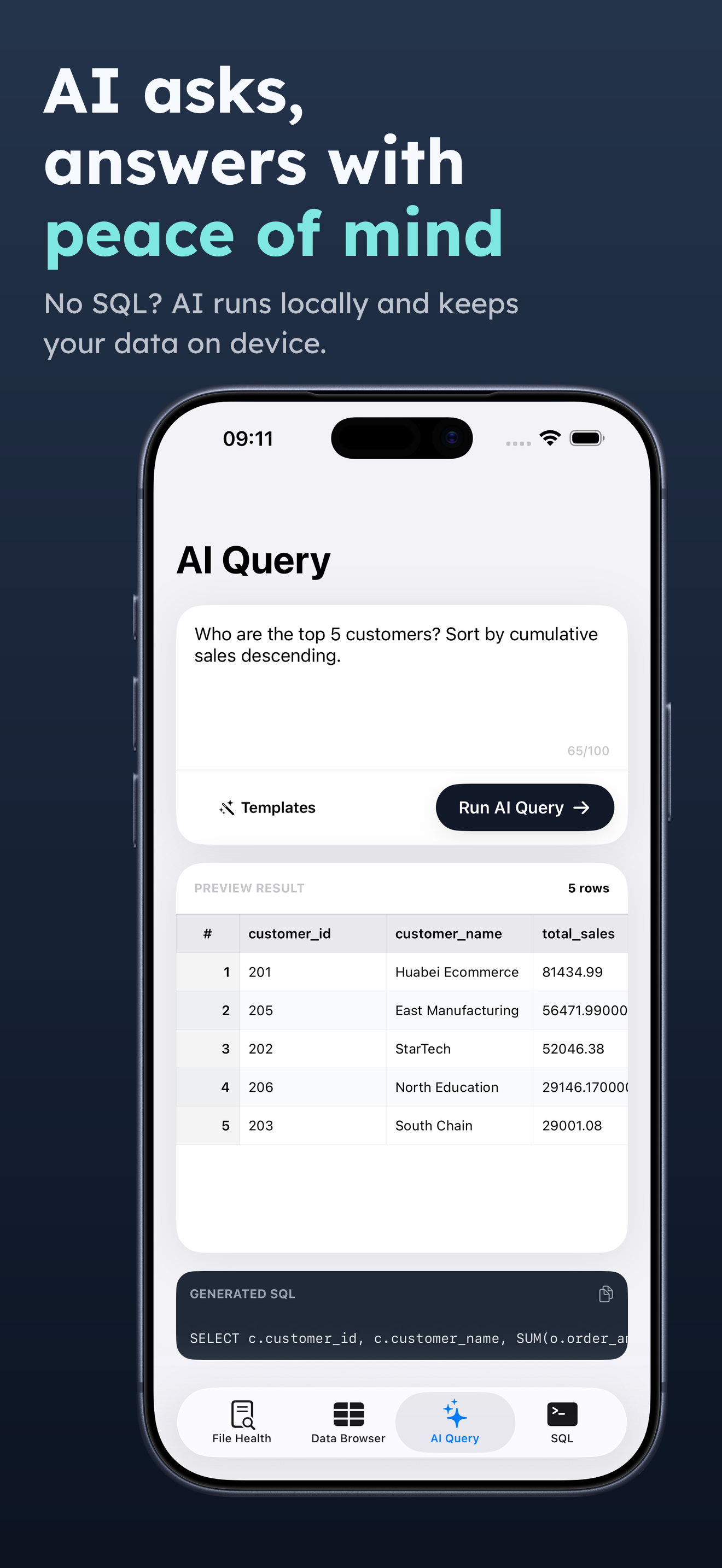
of a blank result. If you do not know SQL, optional AI assistance can draft it, while the
raw database file stays off the AI request.
Core file access, parsing, browsing, and SQL execution happen on your device. No cloud conversion is required. AI features are separate and only send limited request context when you explicitly use them. That is the difference between getting an answer and giving up control of the file.
The actual app
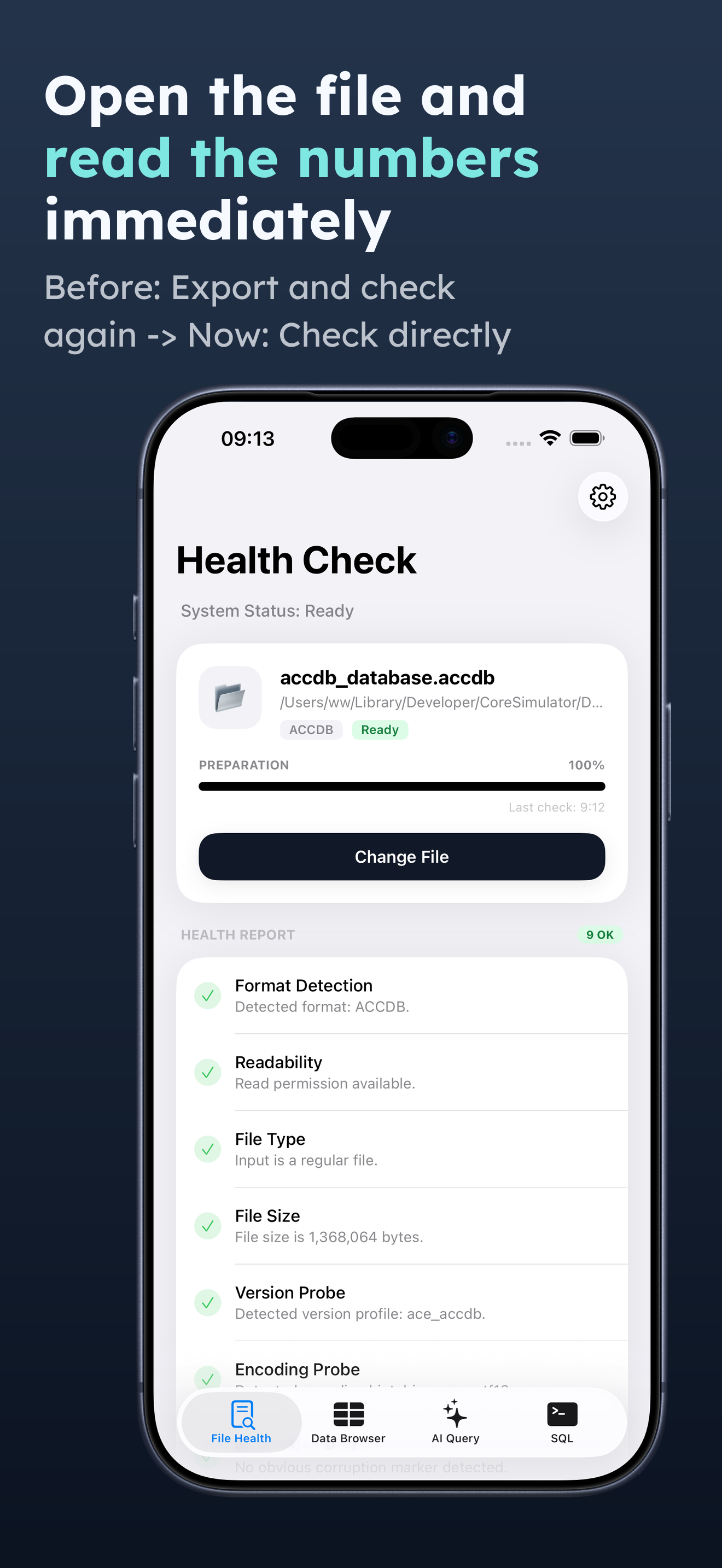
Detect format, readability, version, encoding, damage, and ACCDB capability before opening.
Browse tables, fields, and rows from the file in front of you, directly on iPhone.
Verified with a 1.5GB database and 3.67 million rows using bounded, native-first loading.
Narrow business records quickly, reorder columns, and open the complete row when needed.
Run common SELECT queries locally, with a controlled fallback for supported complex work.
See why a file or query failed and what to try next. Unsupported cases do not fail silently.
Turn a natural-language question into editable SQL without making chat the core workflow.
Core database work stays on device. Raw MDB and ACCDB files are not uploaded for AI queries.
The app interface supports 24 locales for teams working with long-lived business data.
| Task | Access Viewer | Desktop-only | Cloud converter |
|---|---|---|---|
| Work from iPhone | Yes | No | Browser only |
| Raw file stays on device | Yes | Yes | No |
| Browse without export | Yes | Yes | Usually no |
| Search and sort records | Yes | Yes | Varies |
| Execute SQL | Locally | Locally | Varies |
| Explain unsupported files | Diagnostic report | Varies | Varies |
Generic workflow comparison. Exact capabilities vary by desktop tool and conversion service.